How Social Media And SEO Work Together To Build Nationwide Brand Reach
Barsha Bhattacharya, 1 week ago
YouTube is the largest platform for video-sharing networks, with billions of active users on a monthly basis.
It is a platform for large corporations, small businesses, content creators, influencers, and artists as a way to be able to reach out to a large audience base for the purpose of entertainment and knowledge.
With this growing demand for YouTube, it sometimes becomes impossible for one person to guarantee the safety and maintain the community guidelines of the channel. This is the reason why the demand for YouTube moderators is steadily increasing.
Now you might be asking me, what is a YouTube moderator, and how do you become a YouTube moderator? So to get the answer to this question, all you need to do is scroll through the article and read along.
It is a fairly new area of job, so it is possible that not a lot of people are aware of what a YouTube moderator does or even why they are needed.
Well, the YouTube moderator is the person who is in charge of checking and verifying whether the content being uploaded on YouTube is abiding by the community rules and guidelines that YouTube sets up.
They are the ones who are in charge of assessing the videos and comments and any other type of user-generated content on YouTube that they might come across.
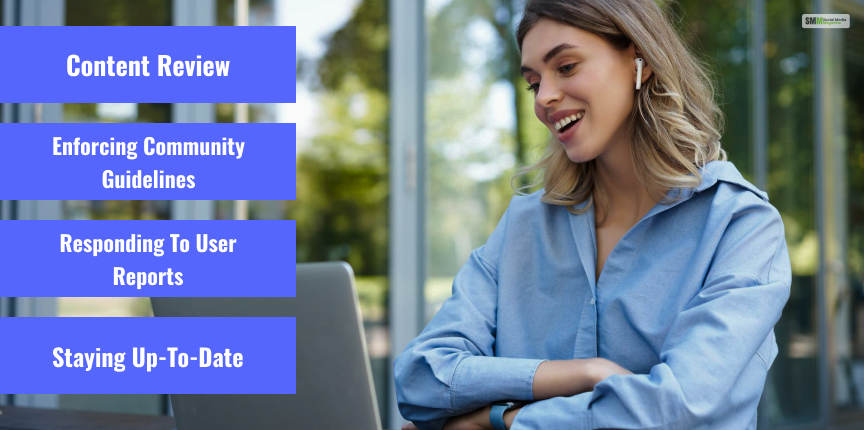
If you wanna become a YouTube moderator, then here are a few things that you have to do. So to help you, here is a list of duties for your better understanding.
A YouTube moderator’s key responsibility is to review the content, video & shorts posted on the platform. They must ensure that every content is suitable and follows all YouTube community norms.
This includes the examination & observation of videos, comments, & other types of user-created content present in the YouTube database.
YouTube moderators are in charge of implementing the community standards established by YouTube. They must be aware of the policies of YouTube & take action against anything that breaches YouTube policies & community guidelines.
Moderators on YouTube must also respond to user reports. Whenever a user reports an objectionable video or remark, the moderator is responsible for reviewing the material and taking necessary action, such as deleting it if it violates the community rules.
YouTube moderators must keep up with the newest changes to the community standards & review procedures. They must be up to date on the newest platform trends & modifications to make educated & right judgments.
There are a few ways by which you can become a YouTube moderator, and these factors are listed below. So if you wanna become a YouTube moderator, then all you need to do is scroll down below to know more.
Experience is essential for becoming a YouTube moderator. You can get experience by working on content moderation alongside other platforms, volunteering, or engaging in online forums. Learn technique & tactics of content moderation.
The first step to becoming a YouTube moderator is to familiarize yourself with YouTube’s community guidelines. These guidelines outline what is & is not acceptable on the platform, & it is crucial that you are familiar with them before applying to become a moderator.
You can apply for the position once you have obtained experience & are comfortable with the community rules. Job postings can be found on the YouTube Careers page or on major job search websites.
If your application is accepted by YouTube, you will be invited to participate in an interview & testing. During the interview, the applicant will be evaluated on knowledge of the community norms as well as experience with content moderation.

If you are looking for good YouTube content moderator jobs, then there are certain things that you need to look into since they are very important.
YouTube Moderators should utilize all the automated tools and technology that they can use to access the content in hand more precisely & effectively. With the help of these tools, they can easily detect certain red flags that are avoiding the community guidelines.
Real-Time Example: One example of a moderation tool is the video review queue, which displays a list of videos that need to be reviewed. Moderators can use this tool to efficiently review videos & take appropriate action against content that violates the community guidelines.
If you wanna be a YouTube moderator, then you have to be very professional and be as objective as possible.
It is also important that the choices that you make are objective-based, and they must abide by the community guidelines rather than depending on your personal choice or opinion.
It is a must for all the moderators must keep a detailed report of all the work they are doing for the moderation task. They must maintain and also edit the use and techniques records, along with the database change records and also any other altered changes.
When the question is about content moderation, it is all about being consistent with the judgment. Youtube moderators need to be consistent; it is a must-have quality in them.
It is very important that they take the same approach toward all the content and not take anything personally.
Real-Time Example: If a user flags a video containing hate speech, the moderator should delete the video regardless of who created it or how popular it is. This uniform approach contributes to the platform’s integrity and guarantees that the community standards are implemented equitably to all users.
For a single YouTube moderator, it is impossible to moderate all the content on their own, so it is important for the whole team to work as a team and a unit. Working as a team is efficient and effective both in terms of time management and work efficacy.
When you are a YouTube moderator, the main thing that you need to have is great communication skills. It is important that the moderator has a line of contact open with the viewers.
They must answer and react to all viewer queries and questions, and this will be done in a straightforward manner while keeping the community guidelines in mind.

Like any other job designation, the reviews vary from company to company and also on individuals as well. However, there are some generalized reviews that are listed below.
Moderators must pay close attention to a wide range of content and community guidelines, which can be mentally tiring over time.
Many moderators report feeling overwhelmed by the volume of content they need to review and the high pressure to make quick, accurate decisions about potentially sensitive or controversial material.
Reviewing potentially distressing or offensive material can take a toll on a moderator’s mental and emotional well-being, especially if they are not equipped with adequate support or resources to manage these challenges.
Many moderators feel a sense of satisfaction in helping to create a safer, more positive online community, and in being able to contribute to the company’s mission.
Some moderators appreciate the opportunity to learn and grow in a dynamic, fast-paced environment and develop new skills related to online content moderation and community management.
Right now, as a YouTube live streamer, you can employ two different kinds of YouTube moderators. They can only be differentiated by what they are able to do as moderators. They are:
A standard YouTube moderator is, well, a normal YouTube moderator. If you become a standard YouTube Moderator of a channel, here is what you can do:
As the name suggests, a managing YouTube moderator can do more than what a standard moderator can do. They have more functions than a standard YouTube moderator can do.
Therefore, if you become a managing YouTube Moderator of a channel, here is what you can do:
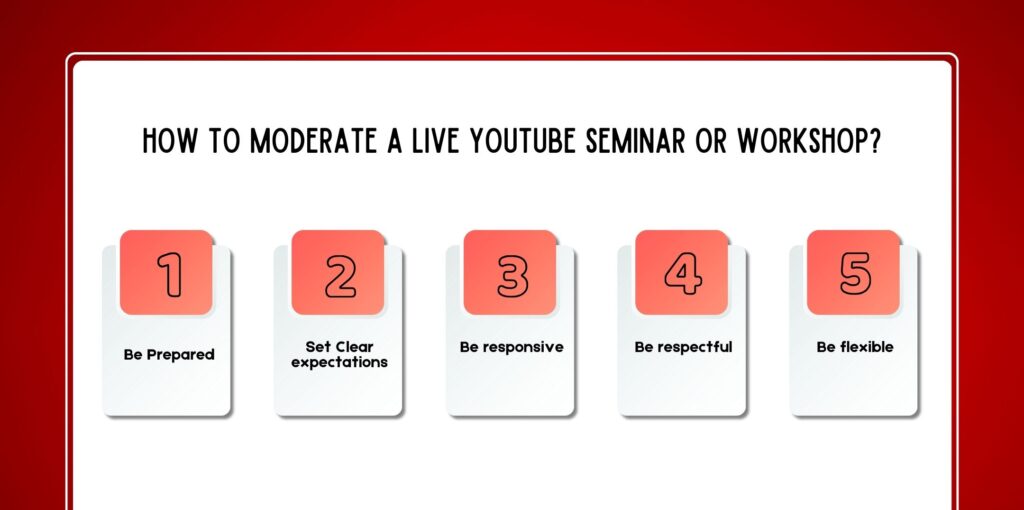
When it came to hosting live events such as seminars and workshops, a more formal method of moderation was required than in streams.
Being prepared is the key to moderating. Before the event:
Trained moderators respond faster and make better decisions.
At the start of the live class:
Live event activities happen rapidly, thus the moderators must:
Responsiveness keeps the event smooth and interesting.
Even when enforcing a set of laws:
Respect leads to trust in both audience members and artists.
No two live sessions are the same. Be ready to:
Dealing with negative, harmful comments is a major part of the duties of a moderator.
Interacting directly sometimes:
Moderators must function silently and effectively.
If the remark contains regulation-violating statements:
It also aids in enhancing the overall safety of the platforms.
Muting the commenter has multiple benefits to it, such as;
Muted users will be able to watch but won’t be able to chat.
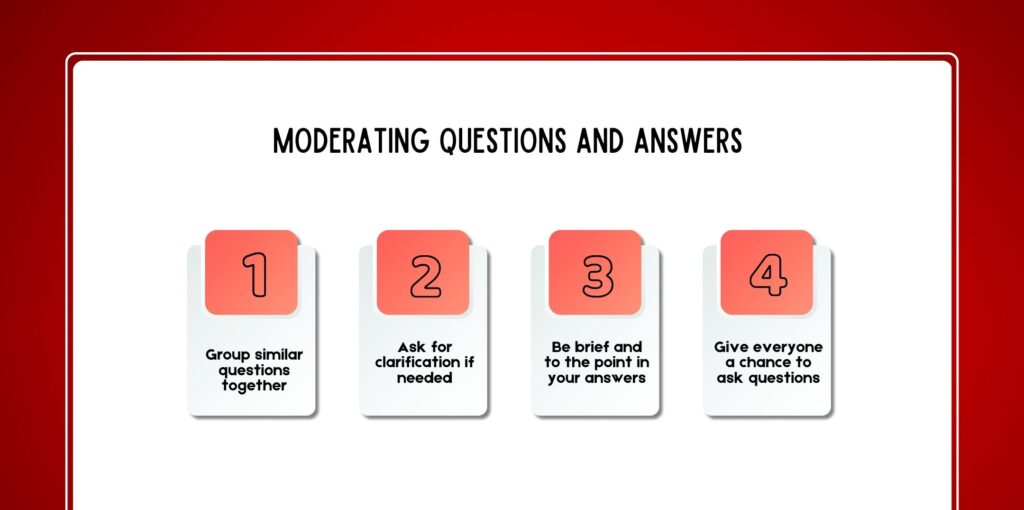
Q&A sessions must have to convey fairness and understanding.
When many viewers ask the same thing:
This avoids repetition of products in a customer’s order.
Firstly, if the question being asked is;
In most cases, it is wise to respond on behalf of the host:
In order to keep the Q&A flowing
This ensures an inclusive experience.
YouTube contains very useful resources intended specifically for moderators.
Moderators can:
They enable immediate intervention without interrupting the flow.
To manage a comment:
Knowledge of these tools increases efficiency and control.
Effective moderation usually involves the following qualities;
Such skills are invaluable to content creators.
In 2026, moderation may be:
Many of today’s moderators are trained to handle the;
To become a YouTube moderator in 2026, one has to do more than control comments it is all about building safe and enjoyable online communities.
To succeed on platforms that have a lot of live content, a good moderator is essential for content creators.
Through learning moderation skills and Google YouTube tools, and also learning professions during live events such as workshops and seminars.
You can establish and sustain a fruitful career in the creator economy. Whether helping small channels and/or live events, moderation can really matter.

Nabamita Sinha loves to write about lifestyle and pop-culture. In her free time, she loves to watch movies and TV series and experiment with food. Her favorite niche topics are fashion, lifestyle, travel, and gossip content. Her style of writing is creative and quirky.

Barsha Bhattacharya, 1 week ago

Barsha Bhattacharya, 1 month ago