
5 Benefits Of SEO For Next-Level Business Growth In Europe
Barsha Bhattacharya, 3 days ago
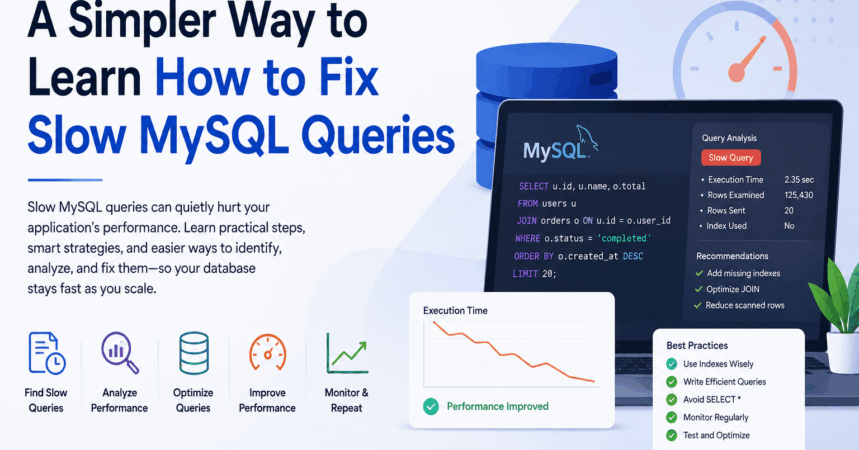
If you’ve worked on a growing application, you’ve probably searched at some point for how to fix slow MySQL queries.
Everything works fine in the early stages. Pages load quickly, APIs respond instantly, and the database handles requests without any noticeable issues. But as traffic increases, performance problems slowly begin to appear. Queries that once felt lightweight suddenly start consuming more time and resources.
The tricky part is that database slowdowns usually happen gradually. You may not notice them immediately, but over time users begin experiencing delays, dashboards take longer to load, and application performance starts becoming inconsistent.
Understanding how to fix slow MySQL queries becomes essential once your application starts scaling.
Most developers follow a familiar process when trying to diagnose MySQL performance issues.
The first step is usually enabling MySQL’s slow query log.
This feature records queries that exceed a specific execution time threshold, helping developers identify which SQL statements are slowing things down.
For smaller applications, reviewing these logs can be manageable. But in larger systems with heavy traffic, the volume of data can quickly become difficult to handle manually.
After collecting query data, developers often inspect the logs manually or use monitoring platforms like New Relic to better understand database activity.
Monitoring tools make it easier to spot spikes in response times, resource-heavy queries, and unusual traffic patterns that might otherwise go unnoticed.
Still, identifying a problematic query is only the beginning of learning how to fix slow MySQL queries effectively.
The next step usually involves running EXPLAIN.
EXPLAIN shows how MySQL plans to execute a query, including information about table scans, index usage, joins, and estimated row counts.
While this tool is extremely powerful, interpreting the results is not always straightforward. Many developers can identify that a query is inefficient but still struggle to understand exactly what changes would improve performance.
That’s one reason database optimization often feels frustrating and time-consuming.
Once developers identify the issue, they begin testing possible solutions.
Common optimization techniques include:
Sometimes a simple index dramatically improves performance. Other times, several rounds of testing are required before seeing meaningful improvements.
Learning how to fix slow MySQL queries often becomes an ongoing cycle of monitoring, optimizing, and retesting.
A lot of developers focus only on queries that appear obviously slow.
But some of the biggest database performance issues come from queries that execute quickly on their own yet run thousands of times every second.
Individually, these queries may seem harmless. Collectively, they can place enormous pressure on CPU usage, memory consumption, and disk I/O.
This is why understanding how to fix slow MySQL queries requires looking beyond just long execution times. Frequency matters too.
In many real-world applications, performance degradation happens because of hundreds of small inefficiencies accumulating over time.
Because manual analysis can become exhausting, many teams now rely on automated database optimization tools to simplify the process.
Instead of constantly reviewing logs and execution plans manually, automated systems continuously analyze workloads and surface optimization opportunities automatically.
One of the biggest advantages of automation is intelligent index analysis.
Over time, databases often accumulate:
These problems are especially common in applications that evolve over several years with multiple developers contributing to the schema.
Automated tools can quickly identify these indexing issues and recommend cleaner optimization strategies.
Modern optimization tools also look beyond just “slow” queries.
They analyze:
This provides a much more complete picture of database behavior under real production traffic.
For teams trying to understand how to fix slow MySQL queries, this broader visibility can uncover problems that traditional monitoring often misses.
Another major benefit is simplified troubleshooting.
Instead of manually decoding complex execution plans, developers can receive direct recommendations, such as:
For developers who are not database specialists, this can save a huge amount of time and reduce guesswork.
Optimization without measurement can be misleading.
A query rewrite may appear faster during testing but provide little improvement in production traffic.
Automated monitoring systems help compare database performance before and after changes are applied, making it easier to verify whether optimizations actually reduced load or improved response times.
One important thing developers eventually realize is that database optimization is not a one-time task.
As applications grow:
A database that performs perfectly today may struggle a few months later under different workloads.
That’s why continuous monitoring is such an important part of understanding how to fix slow MySQL queries in long-term production environments.
Slow MySQL queries are rarely random. Most of the time, the warning signs already exist inside query logs, execution plans, or repetitive query patterns.
The challenge is usually the amount of manual effort required to identify and fix those problems efficiently.
Traditional tools like slow query logs and EXPLAIN still play a critical role, but automated database analysis can significantly reduce troubleshooting time and help developers discover hidden inefficiencies faster.
At the end of the day, learning how to fix slow MySQL queries is less about finding one perfect solution and more about continuously improving database performance as applications scale, traffic grows, and workloads evolve.

Barsha is a seasoned digital marketing writer with a focus on SEO, content marketing, and conversion-driven copy. With 8+ years of experience in crafting high-performing content for startups, agencies, and established brands, Barsha brings strategic insight and storytelling together to drive online growth. When not writing, Barsha spends time obsessing over conspiracy theories, the latest Google algorithm changes, and content trends.