Most Liked TikTok: Who Made It To The First Place?
Barsha Bhattacharya, 3 hours ago

By 2026, Instagram is a lot more than just photo-sharing. It is a strong engine for branding, business visibility, creator growth, and community building. And in it all, shares, especially Story shares, are among the most valuable forms of engagement.
Why?
When someone shares your content, they are:
So it’s natural to wonder:
“How can I see who shared my Instagram post or Reel?”
This fully updated 2026 guide covers everything you need to know, based on the latest Instagram analytics features, privacy rules, and algorithm updates.
This is the most important part to understand before anything else:
But only if:
Instagram protects user privacy. Whether someone forwards your post in a group chat, sends it to one person, or shares it with Close Friends, it remains anonymous.
| Type of Share | Can You See It? | Notes |
| Story share (public account) | ✔ Yes | Shows preview + username |
| Story share (private account) | ✖ No | Only increases count |
| DM share | ✖ No | Anonymous |
| Share via external apps | ✖ No | Anonymous |
| Share to Broadcast Channels / Groups | ✖ No | Only reflected in analytics |
This is the foundation of how Instagram sharing transparency works.
Most users confuse Shares and Saves, especially when new creators want to track performance. In 2026, these two metrics matter more than likes and comments.
The number of shares determines the spread factor of your post. Instagram pushes shared content higher, as it signals relevance and value.
Saves reflect how valuable your content is to a person on a personal level. The algorithm favors saved posts, especially for educational content, tips, quotes, recipes, and long captions.
Instagram’s 2025 algorithm heavily relies on these two metrics to determine:
Understanding each part of Insights will help you grow faster.
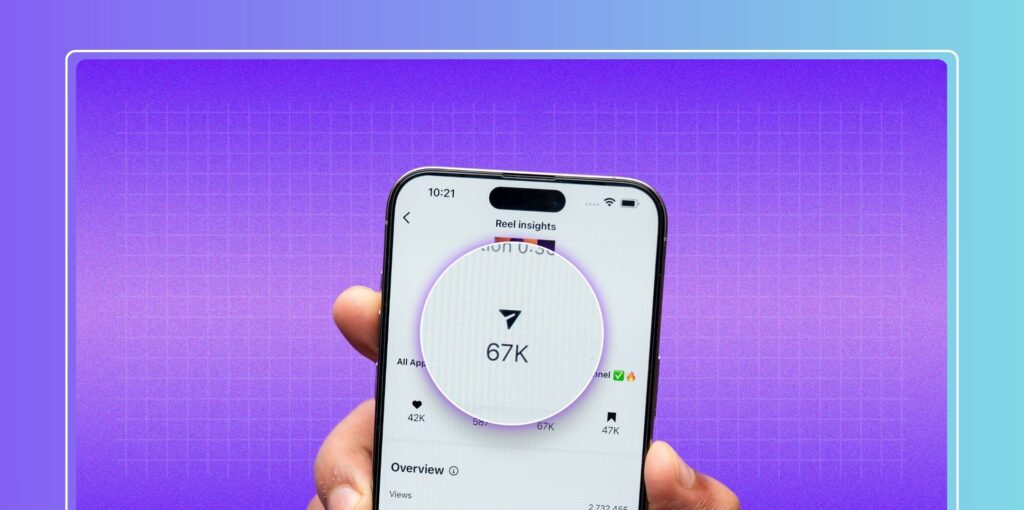
When you tap View Insights, you’ll see the “Share” icon-an arrow symbol. But what does it include?
You cannot see which kind of share was used.
For example:
If a post shows Shares: 109, it could be:
Instagram does not break these down, but it does track them internally to decide whether your post should be pushed further.
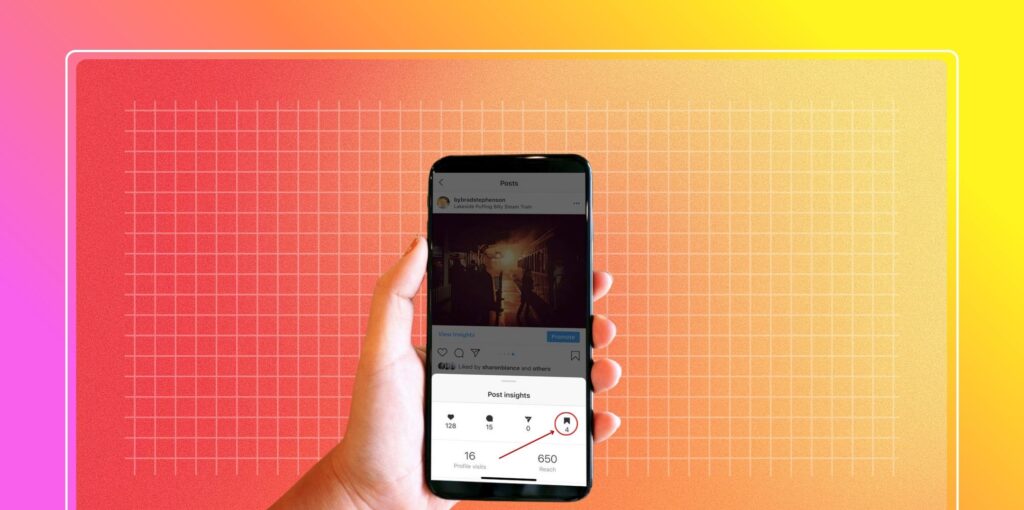
To view saves:
Saves now influence:
Because saving a post is a private action of bookmarking, it’s kinda similar to liking a post, but kept personal.
Showing the identity of users would breach privacy standards at Instagram. Instagram has repeatedly said it has no plans to ever reveal who saved a post.
There are two primary ways:
This shows story shares from public accounts.
If another user tags you while re-sharing your post, you’ll be notified— even if said users are private. We break down each method step-by-step below.
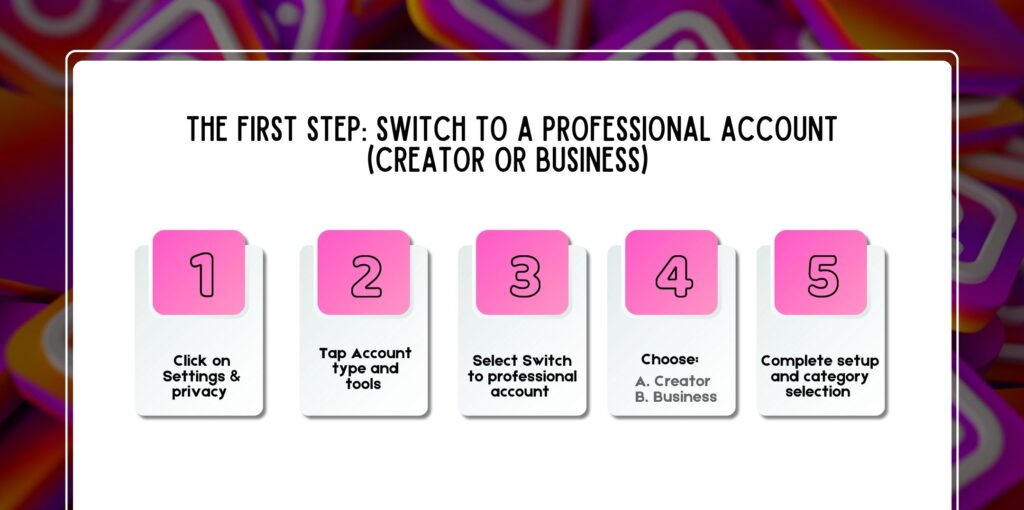
You absolutely have to use a Creator or Business account to see analytics such as shares, saves, reach, and impressions. Personal accounts have very limited insight access.
1. Click on Settings & privacy
2. Tap Account type and tools
3. Select Switch to professional account
4. Choose:
5. Complete setup and category selection
A Professional account also helps you track:
That being said, this upgrade is a must for growth, especially when using strategies like optimizing your best hashtags for Instagram Reels.
This is the part most users need.
If your post was shared to Stories, you will see:
a. Number of story shares
b. Tap the preview to view individual stories
Remember: You will NOT see shares from private accounts—only public ones.
Reels are shared way more than photos. Story reshares of Reels often contribute to viral growth.
1. Open your Reel
2. Tap Insights
3. Look for Story Reshares under the Interactions section
4. Tap it
5. You will see:
If your Reel is highly shared, Insights might group shares into categories like:
But only public story shares disclose the usernames.
There are several limitations in Instagram story sharing:
Private accounts remain completely hidden, even if they mention you.
Once a story expires, the share preview of it disappears.
Unless…
User adds that story to a Highlight. Then you can view it by visiting their profile.
Even if your post was shared 500 times through messages.
This is a known limitation in 2024–2026.
Not all shares show up in Insights, but you may still find reposts if you check for:
If someone:
This is usually the only way to know a private account has shared your content—provided they tag you, of course.
Apps that purport to show
…are ALL FAKE.
Instagram has permanently banned thousands of accounts linked to those apps.
Change your password immediately if you happen to use such apps.
Here are a few questions and queries on the topic of can you see who shared your Instagram post or not that others have asked, and it can be helpful for you as well.
Only sometimes. You can know if:
• They shared it on their story
• They have a public account.
• You checked before the story expired.
• They tagged you
You CANNOT know whether they:
• Shared in DMs
• Shared it in group chats
• Shared it with Close Friends
• Used a private account
• Shared it externally
Yes but only:
• Public account story reshares
• Story shares visible in Insights
• Mention tags
DM shares remain private.
A popular engagement strategy is
• Comment meaningfully on 5 posts
• Like 3 posts
• Engage deeply with 1 new profile
This helps in building authentic interactions and improving algorithmic ranking.
Yes-if you share it to your story. No-if you share through DMs.
When you share a post to a story, the original creator often receives
• A tag notification
• A reshare preview of stories if your account is public
• A mention alert
It depends on the method:
• To Story (public) → They can see it
• To Story (private) → They won’t see your username unless you tag them
• To DM → They never know
• To external apps → They never know
No, Instagram removed screenshot notifications several years ago.
The only exception was the tests in 2018, but they never returned.
Subreddits, like Instagram, Instagram Marketing confirm:
• There is no way to see DM shares
• There is no tool that shows who saves or shares your posts.
• Only story shares are visible
The only trick is asking your followers through story polls—some creators do this to track engagement.
Best methods:
• Track insights
• Measure total shares
• Check public story reshares
• Monitor tags and mentions
• Use Creator Studio analytics
• Compare share patterns over time
This helps identify what type of content people share most.
Ways to check:
• Story mentions
• Tags
• Activity notifications
• Insights → Story Reshares
• Checking follower highlights manually
Possible reasons:
• They used a private account
• Story has expired
• They shared it via DM
• Your insights are delayed
• Instagram temporarily removed the reshare preview
• Bug in the Insights panel
Refreshing your app or reinstalling Instagram usually resolves missing reshare previews.
If you want people to share your stuff more often, focus on creating content that can invoke an emotional or practical response.
People share posts when:
Each segment of a story is 15 seconds; however, Instagram automatically cuts longer videos into several 15-second clips. This matters because story shares beyond the first slide, usually skip attribution.
In 2026, it is possible to know who shared your Instagram post or Reel-but with some limitations to Instagram’s privacy.
Here’s what you need to remember:
If you leverage analytics, understand share behavior, and create content that triggers emotional and practical value, your posts will naturally see more shares, and your growth will accelerate.

Nabamita Sinha loves to write about lifestyle and pop-culture. In her free time, she loves to watch movies and TV series and experiment with food. Her favorite niche topics are fashion, lifestyle, travel, and gossip content. Her style of writing is creative and quirky.