A Practical Guide To Presenting Dense Information On Websites Without Creating Clutter
Ankita Tripathy, 4 days ago
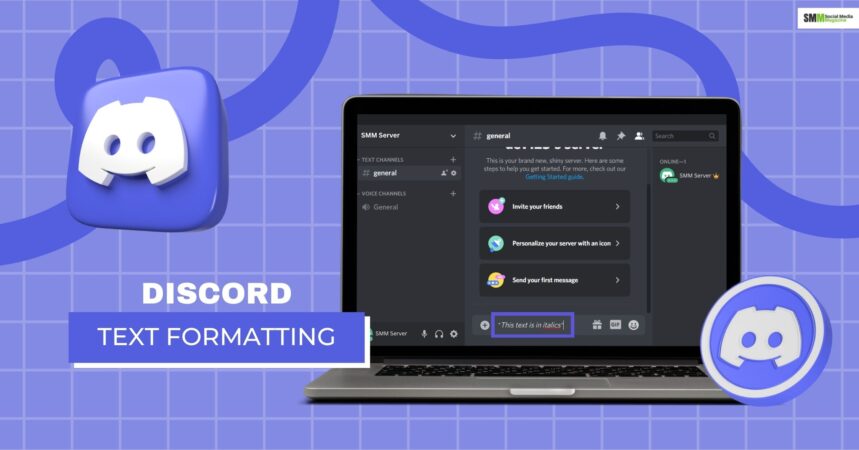
Style your Discord messages with all available formatting options Make your text stand out with bold formatting
Discord Text Formatter
Enter your text and select a format. The formatted text will be ready to copy!
Discord Preview:
Your text will appear here
Discord Format:
****
Today, Discord is more than a chat platform: it’s a digital ecosystem where communities come alive, creators build their brands, and people connect over interests of every kind.
Whether you are at the head of a growing community, running a server to grow and Monetize Social Media, or simply sharing memes with friends, there are ways to format your text that can really improve how it will be received.
While using an Instagram font generator amplifies your social media presence and makes your bio really pop, Discord text formatting makes your messages shine inside of servers, DMs, channels, and community announcements.
Markdown may appear to be intimidating at first glance; once you get used to the layout, however, formatted text will become one of your most powerful means of communication.
This expanded guide goes in-depth into every formatting option you could use on Discord. You’ll learn how to bold, italicize, underline, strike text, add spoilers, create headers, add masked links, show code blocks, make lists, create colors, mix formatting, AND how to use these creatively as a server owner or community manager.
Text presentation makes a difference in communities with thousands of members, centered around coaching, gaming, crypto, fitness, education, or social media growth.
Good Discord formatting helps you:
The objectives of the study are to:
In their simple design, the modern tools of Discord text format are created to remove complexity and give users full creative control.
One great benefit is unlimited free formatting. This means you’re not restricted by message count, word length, or choices of style.
This is especially useful for:
It provides the following message types:
A reliable formatter has full Discord style support, including:
This full support means that anything Discord makes available through formatting options is accessible and easy to work with.
Native compatibility means the formatted text works directly with Discord’s markdown engine-no bots, no scripts, and no risk of broken formatting. This is crucial for the
Your text will look perfect to each and every user on whatever device.
This is a real-time preview to show you exactly what your message will look like inside Discord before you post.
Benefits include:
This is especially helpful for creators and managers seeking to grow and monetize social media communities where presentation impacts trust.
With the one-click copy function, you will be able to instantly copy formatted text and paste it into Discord without losing styles.
This is ideal for: Cross-posting announcements
Know how to:
This will be of great benefit to those creators who are already using tools like an Instagram font generator.
Cross-platform support means that formatting will work across:
Whether your users are on Android, iOS, Windows, or macOS, your messages remain consistent.
These are privacy-protected formatting tools and do not save or track user input. This is very important, for example, when sharing:
What will be shared here includes private community content.
This includes:
Your content stays yours, safe and secure.
Using a Discord text formatter tool is extremely easy and friendly, even for complete beginners.
Start by typing or pasting your message into the formatter. This includes:
Choose the format you want – bold, italic, underline, code block, or a mix. Similar to an Instagram font generator, it automatically styles it for you.
Use the one-click copy and paste the formatted text into Discord directly; the formatting will remain as is, instantaneously.
Confidence reposed in me by the Management is an indicator of belief in my abilities and provides an avenue to be of service.
Formatting in Discord texts is useful across nearly every type of server.
They include:
They include:
For those who want to grow and monetize on social media, professional Discord communication is an unquestionable plus.
To keep messages effective,
Instructions regarding what not to do:
Good formatting supports your message; it should never distract from it.
Common styles include:
Emphasis → text
Here are a few questions and queries on the topic of Discord text formatting that others have asked on the topic that might be helpful for you at the same time.
Yes, it works for all versions of Discord.
Absolutely, clear messages are the ones that gain more attention and generate more responses.
Yes. Professional formatting builds trust and retention.
Conceptually, yes, as both improve text visuality, but Discord uses markdown, rather than Unicode fonts.
Discord text formatting has ceased to be optional; instead, it is a core skill in communication for anyone who means business when it comes to building communities.
Be it creators, educators, brands, or entrepreneurs, good formatting enhances clarity, increases engagement, and reinforces professionalism.
Combining with advanced formatter features like real-time preview, one-click copy, unlimited free formatting, and privacy protection, styled messages become a powerful asset.
Much as an Instagram font generator helps refine social branding, so Discord formatting aids in structuring conversations and elevating community standards.
So, if it is really about improving communication and increasing engagement through the level of depth while truly growing and monetizing social media on Discord, mastering text formatting may be one of the smartest steps you can take.

Nabamita Sinha loves to write about lifestyle and pop-culture. In her free time, she loves to watch movies and TV series and experiment with food. Her favorite niche topics are fashion, lifestyle, travel, and gossip content. Her style of writing is creative and quirky.