How To Add Multiple Photos To An Instagram Story (And Why Your Brand Should Bother)
sibashree bhattacharya, 56 minutes ago

It is surprising that many of my clients still think that they can only add one image per story.
So, I am writing this article on how to add multiple photos to an Instagram story. This is beyond a casual user looking for a solution.
It is also something a brand should bother about.
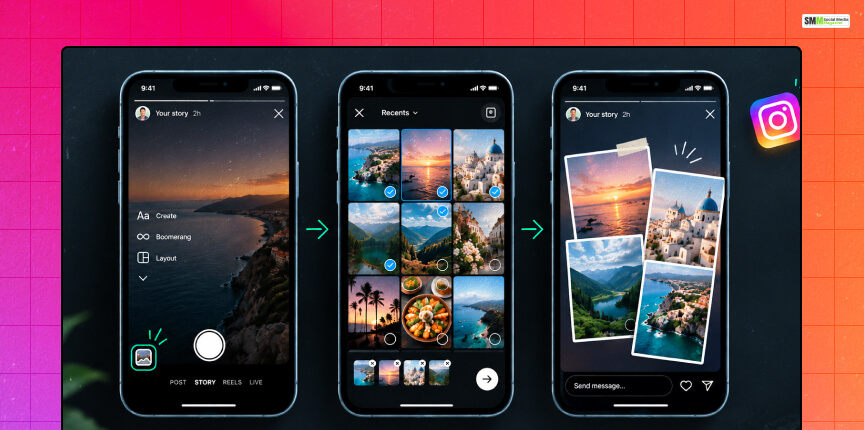
To begin with, there are three separate ways to stack, grid, or layer multiple photos into a single story.
Each way has a different purpose to serve based on what you are trying to sell or announce.
Instagram Stories still play an important role in brand discovery despite Reels dominating everyone’s feed.
A single photo works.
However, when it is about a product launch, an event recap, or a before-and-after to show, one frame is not enough.
In fact, Instragram itself mentions,
“58% of people surveyed by Instagram say they have become more interested in a brand or product after seeing it in Stories.”
Also, I have conducted a survey and assessment across all my clients on how their brand stories work on Instagram.
Here is the data.
| Metric | Data Point |
|---|---|
| Stories with 1–3 frames | 60% of all brand Story activity |
| Stories with 7+ frames | Only 10% of brand activity |
| Average completion rate on brand Stories | 86%, even across multi-frame sequences |
That middle stat is the one I lead with.
Most brands stop at one to three frames.
Going beyond that is one of the simplest ways to stand out and hold attention longer, as I have found in my assessment.
If everyone else is playing it safe with a single image, a well-built multi-photo sequence is one of the easier ways to get noticed without spending a dime on ads.
This is the misconception I clear up first.
The upload screen makes it look like a one-photo-at-a-time tool.
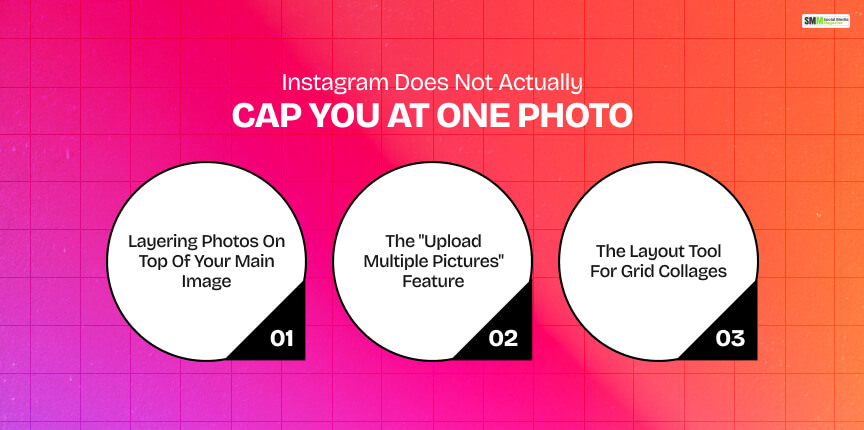
However, Instagram gives you three legitimate paths to multiple images in a single Story.
Still, keep in mind that these changes are not interchangeable. Each style has a different effect.
This is the fastest option and the one I use for quick behind-the-scenes content.
From there, you can drop additional photos on top like stickers.
You can resize them, crop them into circles or hearts, rotate them, and stack as many as you want on the one frame.
This is the one most people actually mean when they ask about “multiple photos.”
It unlocks multi-select instead of jumping straight to editing.
Pick your images in the order you want them to play, and each one becomes its own separate frame in the sequence.
You can mix in video here too.
Also, individual clips can now run up to 60 seconds each, a meaningful jump from the platform’s original 15-second cap.
I will add the same disclaimer here that I give every client.
Dumping ten unedited photos into a Story back-to-back with no stickers, captions, or music is a fast way to tank your completion rate.
Style each frame like it is its own mini-post.
This is the most “designed” option of the three.
Also, it is what I reach for when a brand wants to show a full product range in one frame rather than a scrolling sequence.
Tap the Layout icon before selecting photos, choose up to six images, and Instagram gives you the choice to upload them separately or as a layout.
Pick Layout, and it drops your photos into a grid on a single Story frame.
Once the photos are in, the real work starts.
Instagram’s ranking signals respond to specific interactive behavior, not just impressions.
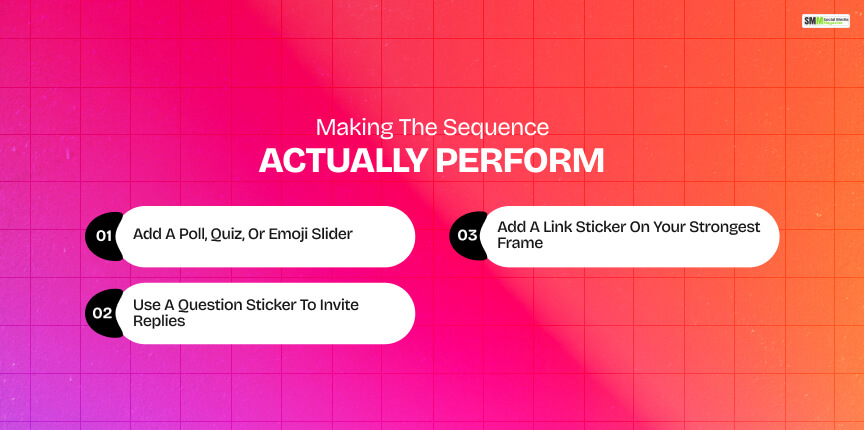
So, I build in at least one interactive element per multi-photo Story.
You can label three product shots A, B, and C, then close with a poll asking followers to vote.
It does double duty.
It is genuinely fun for the audience, and it hands you informal product-preference data for free.
Also, it nudges people to rewatch the sequence to compare options, which is exactly the kind of repeat engagement the algorithm rewards.
Do you want to generate private replies and DMs that Stories are built around?
You can use an open-ended question sticker dropped onto one of your frames.
It is a more reliable way to generate the private replies and DMs that Stories are built around.
Is one photo in the sequence doing the heavy lifting?
Or, you can consider the hero shot, which has the best angle.
You can add the link sticker to it to drive traffic to your product page or booking form, not the intro frame.
I bring this up in every client deck now because it changes how people build these sequences.
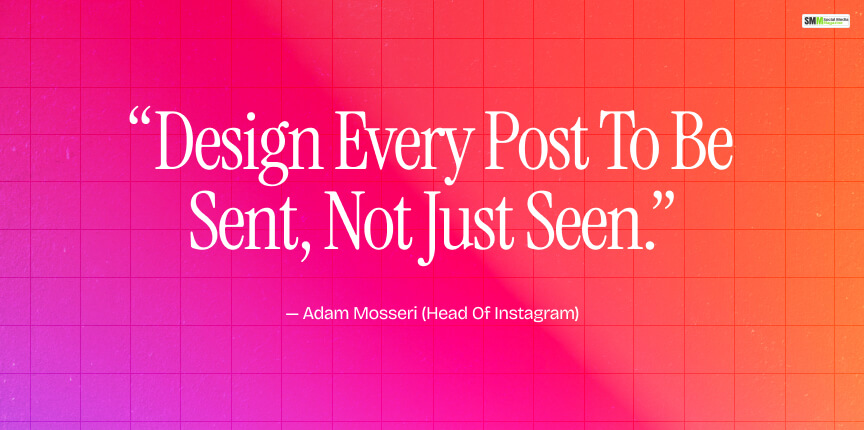
Mosseri has been increasingly public about the fact that likes carry very little weight in how the algorithm decides who to show your content to next.
As he has put it, the goal is to “design every post to be sent, not just seen.”
Applied to a multi-photo Story, that means the focus is more on posting a multi-photo Instagram Story.
The Story should have an interactive frame, including the poll, the question sticker, and the link.
These are not decorations.
It is the mechanism that turns a passive viewer into an active one, and that is the signal Instagram is actually watching for in 2026.
| Method | Max Photos | Best For | Result |
|---|---|---|---|
| Layering | Unlimited (practically) | Quick BTS contentPlayful overlays | Stickers on one frame |
| Upload Multiple Pictures | 10 | Sequential storytellingProduct or services launches | Separate frames, styled individually |
| Layout Tool | 6 | Product ranges, portfolios | One grid frame |
None of these three methods cost anything.
Also, none of them takes more than a minute longer than posting a single photo.
If your brand is still defaulting to one image per Story out of habit, that is the easiest content gap to close this month.
Start with the Upload Multiple Pictures method if you are new to this.
It is the most forgiving to learn and then graduate to Layout for anything that benefits from being seen as a set.

Sibashree has been into SEO and eCommerce content writing for more than 9 years. She loves reading books and is a huge fan of those over-the-top period dramas. Her favorite niches are fashion, lifestyle, beauty, traveling, relationships, women's interests, and movies. The strength of her writing lies in thorough research backing and an understanding of readers’ pain points.