How To Add Multiple Photos To An Instagram Story (And Why Your Brand Should Bother)
sibashree bhattacharya, 1 hour ago
Podcasting in 2026 is no longer just about broadcasting to the world. Creators, coaches, SaaS founders, educators, and membership communities are increasingly turning to private podcasts to deliver exclusive audio content directly to a controlled audience.
Whether you’re building a paid membership, launching a premium podcast course, onboarding clients, or distributing internal training, learning how to create a private podcast gives you a powerful distribution channel that feels personal, portable, and secure.
However, this detailed guide walks you through everything from tools and setup to security and monetization while ensuring your audio quality rivals the Best Sounding Podcast Audio in your niche.
A private podcast is an audio show distributed through a restricted RSS feed that only approved listeners can access.
Unlike public podcasts, which appear openly in directories, private podcasts require authentication, invitation links, or password-protected feeds.
Meanwhile, instead of being searchable on public charts, a private podcast:
However, in simple terms, a public podcast is like a YouTube channel. A private podcast is like a gated course platform but delivered via audio.
Therefore, creators use private podcasts to deliver:
Therefore, private podcasts combine the intimacy of audio with the control of membership platforms, making them one of the fastest-growing content models in 2026.
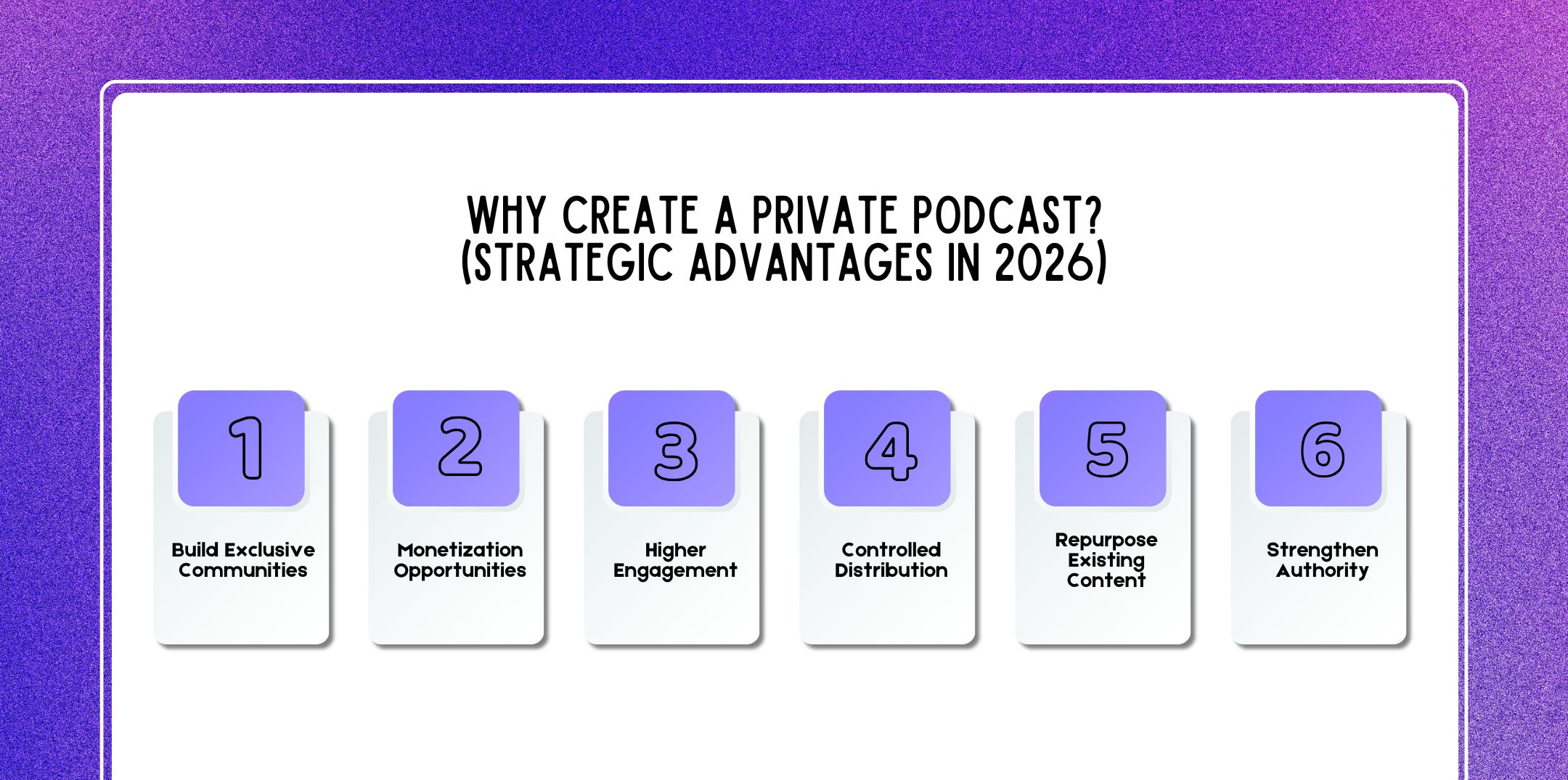
Private podcasts offer strategic advantages that go far beyond traditional public publishing. While public podcasts prioritize reach and discoverability, private podcasts prioritize depth, exclusivity, control, and monetization.
In 2026, as audience attention becomes more fragmented and trust becomes more valuable than visibility, private podcasting has evolved into a powerful business and community-building tool.
However, below is a deeper look at why creators, educators, founders, and brands are increasingly choosing private podcast models.
Private audio creates a strong sense of belonging.
When listeners know content isn’t publicly searchable or accessible, the perceived value increases automatically. Exclusivity triggers psychological ownership members feel like insiders rather than passive consumers.
Unlike public podcasts, where anyone can subscribe anonymously, private podcasts are:
This transforms your audience from scattered listeners into a defined community.
Private podcasts are especially powerful for:
Audio builds intimacy. When that intimacy is exclusive, engagement deepens. Therefore, instead of broadcasting thousands, you’re speaking directly to people who chose to be there. That shift alone changes the relationship dynamically.
Private podcasts are naturally aligned with premium pricing models. Because access is restricted, the content can be positioned as:
Common monetization formats include:
Many creators bundle private podcasts inside:
For example, a paid mastermind may include:
This adds recurring value without requiring additional video production. Private podcasts also reduce platform dependency.
Therefore, instead of relying solely on ad revenue or sponsorship volatility, you build predictable recurring income streams. Monetization becomes relationship-driven rather than algorithm-driven.
Private podcast listeners are typically more committed.
Why?
Because access is intentional.
When someone:
…their psychological investment increases.
This often results in:
Public podcast audiences may casually sample episodes. Private audiences are usually goal-oriented and outcome-focused.
For example:
Engagement isn’t just about downloads; it’s about depth of attention. Private podcasts create environments where listeners expect value and are more likely to act on it.
One of the strongest advantages of private podcasts is control. With public podcasts, once an episode is distributed through directories, it cannot be selectively revoked.
Private podcast infrastructure allows you to:
This control is especially important for:
You decide:
If a subscription lapses, access can automatically expire. If someone violates the terms, their individual RSS feed can be disabled.
This flexibility gives creators true ownership over distribution rather than relying entirely on public platforms.
Private podcasts are an efficient way to extend the life of content you’ve already created.
You can transform:
Audio consumption fits seamlessly into daily routines, commuting, walking, exercising, or traveling.
Repurposing content into a private podcast format:
Instead of creating entirely new content, you can restructure and package existing material into an organized private audio feed.
This is especially effective for educators and online entrepreneurs who already have libraries of recorded sessions.
High-value insider content builds trust and brand equity.
When listeners gain access to:
…your authority increases significantly.
Private podcasts allow you to:
Because the audience is defined and controlled, you can tailor messaging precisely.
When paired with smart distribution strategies such as growth optimization insights from platforms like Viraltips Online private podcasts can amplify both authority and engagement.
Instead of competing for attention in crowded public directories, you create a protected space where your expertise becomes the focal point. Authority grows through depth, not just visibility.
Public podcasts build awareness. Private podcasts build community. That distinction is critical.
An audience:
A community:
Private podcasts bridge the gap between content consumption and relationship building. They create structured intimacy. They increase perceived value. Also, they support sustainable monetization.
And in 2026, when trust and direct access matter more than ever, they allow creators to move beyond broadcasting and into leadership. Private podcasts don’t just distribute content. They cultivate connection.
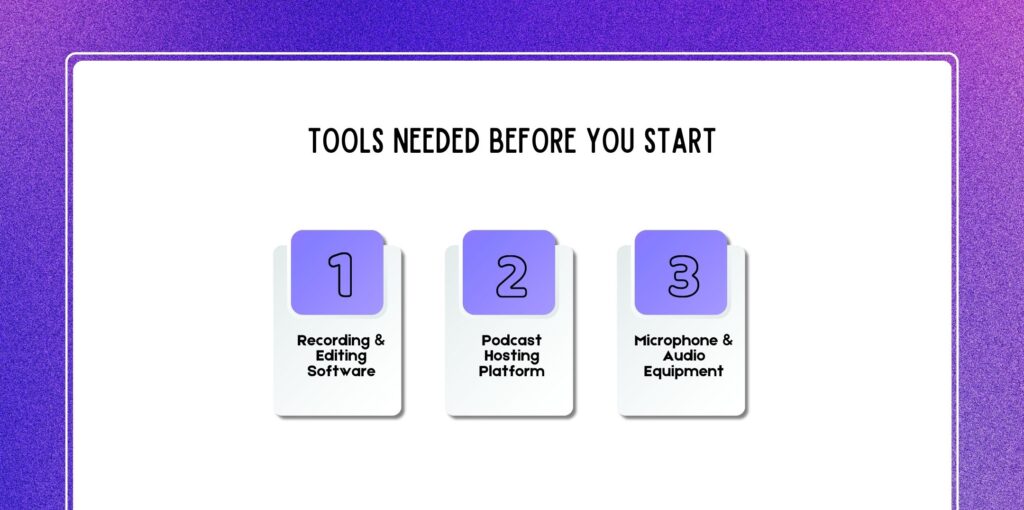
Before creating your private podcast, you’ll need the right tools across three core categories:
For clean, professional production:
You cannot host a private podcast directly on Apple Podcasts. You need a hosting provider that supports:
Examples include paid membership hosting providers and LMS platforms that generate dynamic feeds.
To produce the Best Sounding Podcast Audio, consider:
Audio quality directly impacts retention, especially for premium listeners.
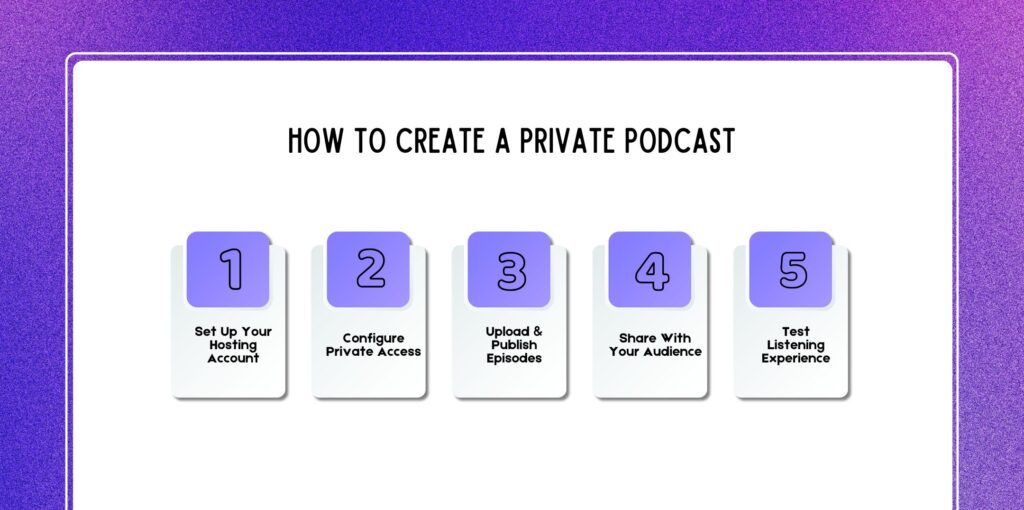
Below is a practical, 2026-ready blueprint.
Choose a hosting platform that supports private feeds.
Steps:
Important considerations:
If monetization is part of your plan, choose a platform that supports automated subscription management.
This is where your podcast becomes “private.”
Options typically include:
To create a private RSS feed (step-by-step):
Some platforms automatically generate unique feed URLs per subscriber, improving security.
Now it’s time to produce content.
Recording workflow example:
Alternatively:
Best practices:
Upload your MP3 file, write show notes, and click publish.
Distribution depends on your access model.
Options:
Explain clearly how to add private feeds to podcast apps:
Clarity reduces friction and support tickets.
Before full launch:
Always test from a listener’s perspective. Smooth onboarding increases retention.
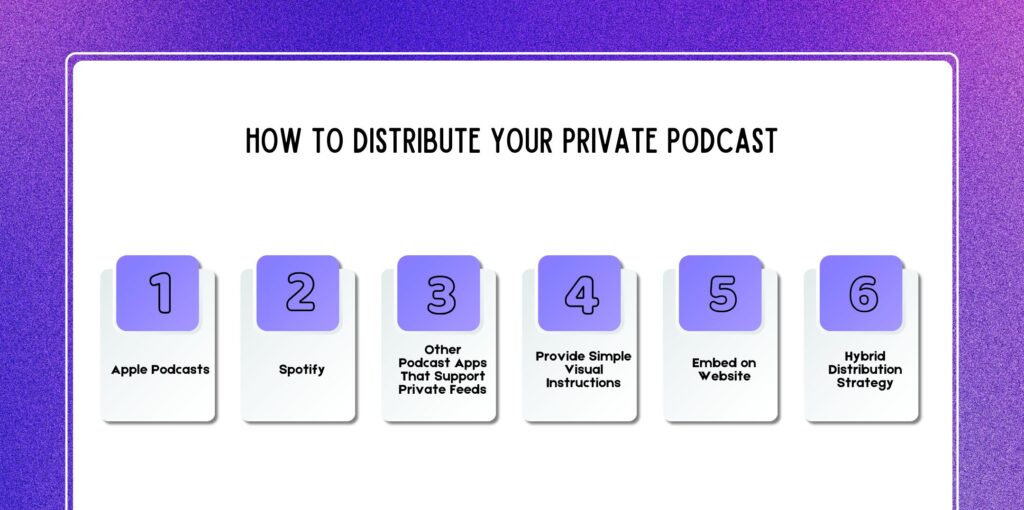
Distribution for private podcasts works differently from public shows, but it can be just as powerful when implemented correctly.
The key difference is that you control access, which means you must also guide listeners through setup.
A smooth distribution process increases activation rates, reduces support emails, and improves listener retention.
Below is a detailed breakdown of how to distribute your private podcast effectively across major listening platforms.
Apple Podcasts is one of the most private-podcast-friendly apps available. Unlike many platforms, Apple Podcasts allows users to manually add private RSS feeds directly inside the app.
Once added, the private show behaves exactly like a public podcast:
Because Apple Podcasts supports private RSS natively, it should usually be your primary distribution recommendation.
Spotify handles private podcasts differently. Unlike Apple Podcasts, Spotify does not universally allow manual RSS feed imports for all users.
Instead, private podcast access depends on:
Always test Spotify distribution before launch to ensure functionality matches your expectations.
Several third-party podcast apps allow manual RSS imports, making them strong alternatives for private podcast listeners.
Commonly supported apps include:
Most of these apps include options such as:
Not every listener uses Apple Podcasts. Providing 2–3 supported app options:
Include a comparison table or short app recommendation guide in your welcome email.
Distribution success depends heavily on clarity. Many users are unfamiliar with RSS feeds. Even simple steps can feel technical.
To improve setup rates:
The simpler the onboarding process, the higher your listener activation rate. Reducing friction during setup directly improves retention.
In addition to RSS distribution, you can embed a private podcast player directly on your website.
This is typically done inside:
For audiences less familiar with podcast apps, embedding simplifies access dramatically.
RSS feeds integrate into users’ existing podcast routines. Embedded players function more like streaming audio on a website.
For most private podcasts, the ideal strategy is hybrid distribution:
This ensures:
Your distribution approach should reflect your audience.
Distribution isn’t just technical, it’s strategic. The easier you make access, the more likely your audience will actually listen.
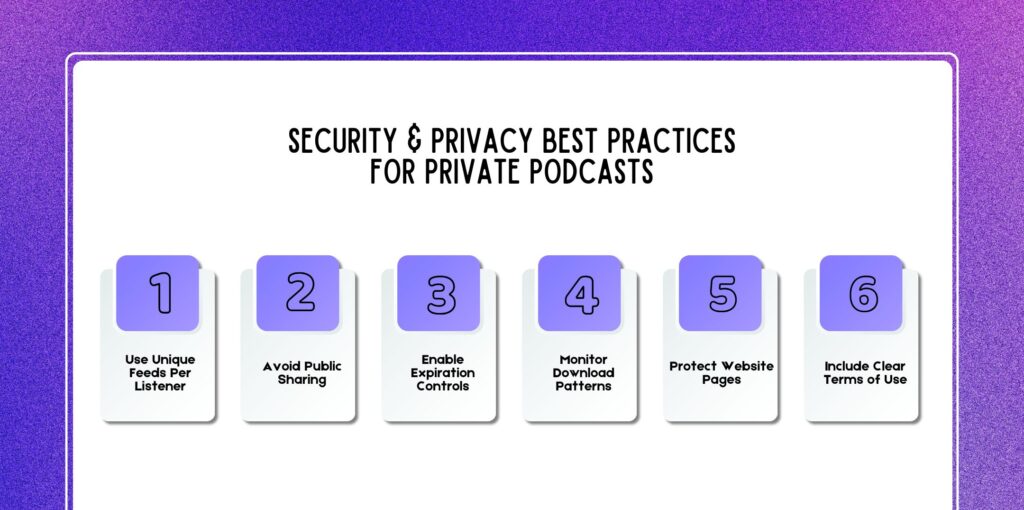
Private podcasts offer controlled distribution but security is only as strong as your management systems.
While modern hosting platforms provide advanced protection tools, creators must actively configure and monitor their feeds to minimize risk.
Below is a deeper breakdown of essential security practices to protect your premium audio content.
One of the biggest security mistakes is using a single shared RSS link or universal password for all listeners.
Instead, generate individual, tokenized RSS feeds for every subscriber.
Why this matters:
Modern hosting platforms integrate with payment systems so that when someone subscribes, they automatically receive a personalized feed link.
If a member cancels or violates terms, their specific feed can be instantly disabled without disrupting your entire audience.
This level of granular control is one of the biggest advantages private podcasts have over public distribution models.
Even with strong infrastructure, human behavior remains the largest risk factor. Private RSS links are often long and complex, but they can still be forwarded.
To reduce sharing risks:
You may also:
Most unauthorized sharing isn’t malicious, it’s casual. Clear communication significantly reduces accidental distribution.
Subscription-based private podcasts should automate access management. If your private podcast is monetized, your hosting system should:
This ensures:
Some platforms also allow time-based access, which is useful for:
Automation protects both your revenue and your intellectual property.
Analytics are not just for growth; they are also security tools.
Monitor:
While occasional spikes may be normal, unusual patterns can signal link sharing.
With individual RSS feeds, you can:
Most hosting platforms provide per-feed analytics dashboards to assist with monitoring. Proactive tracking allows you to address issues before widespread redistribution occurs.
If you embed private podcast episodes on your website, security should extend beyond the RSS feed.
Best practices include:
While no web content is impossible to capture, layered protection reduces exposure significantly. If your private podcast accompanies a membership or course platform, ensure:
RSS feed security is only part of the equation; web environment security matters equally.
Security is strengthened by expectations.
Provide clear terms outlining:
These terms should be:
Clear policies serve both as deterrents and as protection if disputes arise. While legal language alone cannot stop piracy, it reinforces professional standards and accountability.
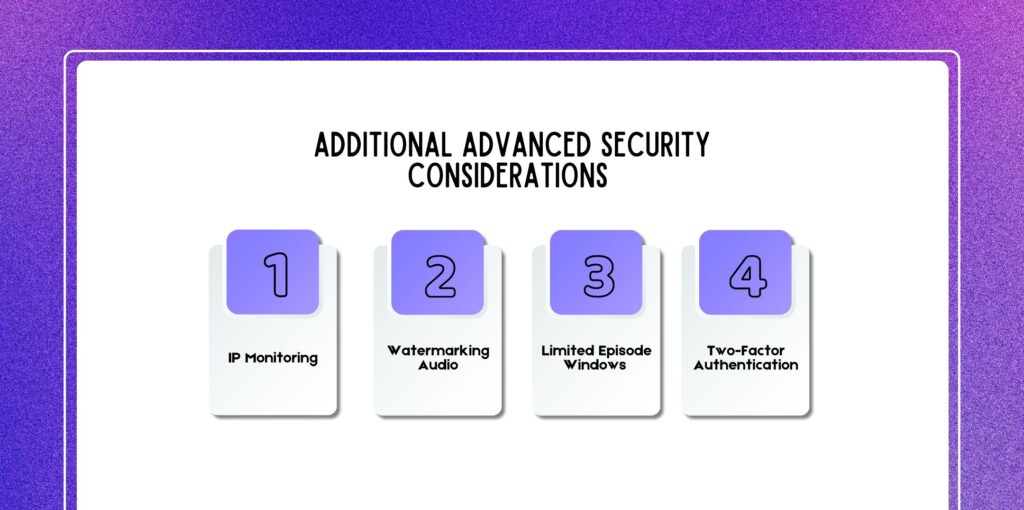
To further strengthen your private podcast ecosystem, consider:
Some enterprise-level platforms allow IP tracking for suspicious behavior detection.
Embedding subtle audio identifiers can discourage redistribution in high-value programs.
Instead of offering full archives permanently, rotate access to reduce content hoarding.
For high-ticket memberships, secure user dashboards with 2FA.
Private podcasts are ideal for:
Revenue models include:
You can also integrate podcast sponsorship within private feeds, though sponsorship works best when the audience size is substantial. Premium content supports higher pricing due to exclusivity.
Private audiences expect depth, clarity, and consistency.
Managing a private podcast audience requires organization and automation.
Never rely on one shared password-protected link.
Ensure subscriptions automatically activate or deactivate feed access.
Provide:
Track:
Private audiences expect premium value. Organize episodes into:
Create a welcome episode explaining:
Good management reduces churn and improves retention.
A private podcast is a restricted audio feed that only approved listeners can access. However, unlike public podcasts, which are openly distributed through directories and searchable platforms, private podcasts operate behind authentication walls.
Public podcasts are:
Private podcasts, on the other hand:
In a public model, your RSS feed is submitted to platforms like Apple Podcasts and Spotify, where anyone can subscribe.
In a private model, access is gated either through a password-protected feed or dynamically generated individual RSS links.
Think of it this way:
Private podcasts are commonly used for:
Therefore, the key difference lies in discoverability and access control. Public podcasts prioritize reach. Private podcasts prioritize exclusivity and security.
Creating a private RSS feed requires both a compatible host and a secure distribution process.
Select a podcast hosting platform that explicitly offers:
This is the foundation of your setup.
Inside your hosting dashboard:
Consequently, this prevents your feed from being indexed.
Instead of one universal RSS link, generate:
Therefore, this ensures each listener has a unique access point.
If monetizing:
Therefore, many platforms automatically email subscribers their private RSS link after purchase.
Send feed URLs:
Therefore, avoid posting private RSS links publicly.
However, once complete, listeners can paste their feed into supported podcast apps and begin streaming immediately.
Yes, you cannot create a truly private podcast using a standard public hosting setup alone.
Meanwhile, a specialized hosting platform must support:
However, standard podcast hosting is built for open distribution. It generates one public RSS feed submitted to directories.
Private hosting platforms, however, allow:
Without a host that supports private feeds, your content cannot be securely restricted.
However, if you’re building a paid subscription, membership, or podcast course, your hosting infrastructure must handle:
Therefore, trying to manually manage access without proper hosting tools creates security risks and administrative headaches.
Here are a few questions that others have asked on the topic of how to create a private podcast that others have asked that might be helpful for you at the same time.
Yes, but with important differences between platforms.
While Apple Podcasts allows users to manually add private RSS feeds. This makes it one of the most private-podcast-friendly apps.
Meanwhile, Spotify handles private feeds differently. It does not allow open manual RSS imports like Apple does. Instead, private access depends on:
Yes, private podcasts are often easier to monetize than public ones.
Private podcast feeds are secure but not invincible. Security depends on – 1. Unique subscriber feeds, 2. Tokenized RSS URLs, 3. Ability to revoke access, 4. Monitoring download activity
Therefore, if you use one shared password or universal feed, security weakens significantly.
Yes, provided your host supports dynamic individual feeds.
Several podcast apps allow manual RSS feed imports. Most commonly used – 1. Apple Podcasts, 2. Overcast, 3. Pocket Casts, 4. Castbox
Yes, embedding private episodes on a password-protected website can simplify access for less technical users.
Creating a private podcast in 2026 is one of the smartest moves for creators, educators, and entrepreneurs who want deeper engagement and recurring revenue.
By combining:
Therefore, you can build a premium audio experience that feels exclusive, valuable, and scalable. However, if you’ve been wondering how to create a private podcast, now you have the blueprint. Private audio isn’t just content. It’s community, control, and conversion.

Nabamita Sinha loves to write about lifestyle and pop-culture. In her free time, she loves to watch movies and TV series and experiment with food. Her favorite niche topics are fashion, lifestyle, travel, and gossip content. Her style of writing is creative and quirky.